GHRIS Payslip Kenya 2026: Your Complete Guide to Accessing Salary & Financial Records
In 2026, the Government Human Resource Information System (GHRIS) remains the cornerstone for Kenyan civil servants to access their vital employment records. From understanding your monthly earnings to preparing for tax season, the GHRIS payslip is an indispensable tool. This comprehensive guide will walk you through everything you need to know about accessing, understanding, and securing your GHRIS payslip, tailored specifically for the Kenyan context in 2026.
What is the GHRIS Payslip?
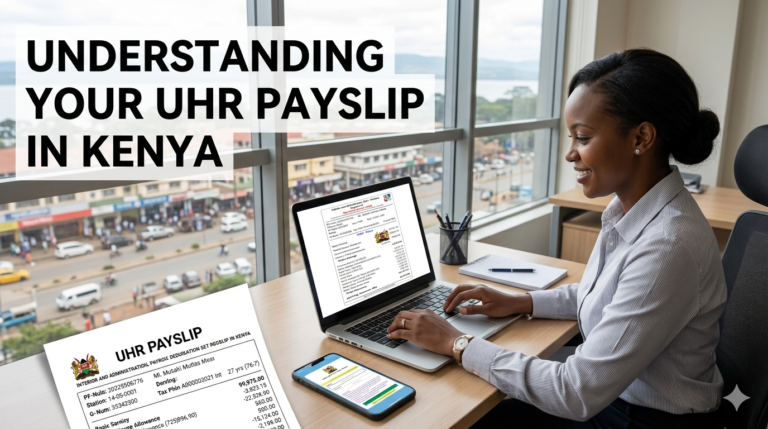
The GHRIS payslip is an official document issued monthly to all employees under the Kenyan public service, detailing their gross salary, allowances, deductions, and net pay. It serves as digital proof of income and employment for civil servants, accessible through the secure GHRIS portal. Launched to streamline HR processes, GHRIS has significantly enhanced transparency and accessibility of employee records across government ministries, departments, and agencies.
Expert Tip: Understanding each line item on your GHRIS payslip is crucial for sound financial management. Regularly review it for accuracy and to track your earnings and deductions effectively.
Why Kenyans Need the GHRIS Payslip in 2026
Beyond simply confirming your monthly salary, the GHRIS payslip holds significant importance for Kenyan civil servants in various aspects of their financial and professional lives in 2026.
- Loan Applications: Financial institutions in Kenya, including banks and Saccos, rely heavily on GHRIS payslips as verifiable proof of income when processing loan applications for mortgages, car loans, or personal financing.
- Tax Compliance (P9 Forms): GHRIS facilitates easy access to your annual P9 forms, essential for filing your income tax returns with the Kenya Revenue Authority (KRA). This ensures compliance and avoids penalties.
- Financial Planning & Budgeting: A detailed GHRIS payslip empowers you to accurately plan your monthly budget, save effectively, and make informed investment decisions based on your net income. To learn more about personal finance, explore relevant resources.
- Proof of Employment & Income: The payslip serves as a formal document to confirm your employment status and income level, necessary for various administrative purposes, including visa applications or school admissions.
- Tracking Benefits & Deductions: It allows you to monitor all your benefits, such as housing allowances or medical insurance, and verify all deductions like NSSF, NHIF, and PAYE are correctly applied.
Types of GHRIS Records You Can Access
The GHRIS portal is a comprehensive hub for more than just your monthly salary statement. As a civil servant in Kenya, you can access a range of essential documents and personal information.
- Monthly Payslips: Detailed breakdown of your salary, allowances, and deductions for each month.
- Annual P9 Forms: Crucial for tax filing, summarizing your annual earnings and PAYE deductions.
- Leave Records: Information regarding your accrued leave days, taken leave, and leave balances.
- Personal Data: View and update your personal details, including contact information and next of kin (subject to HR approval).
- Scheme of Service: Details about your employment terms and conditions within the public service.
Quick Poll: How often do you access your GHRIS payslip? A) Monthly B) Quarterly C) Annually D) Only when needed for loans
How to Access Your GHRIS Payslip: A Step-by-Step Guide for 2026
Accessing your GHRIS payslip is a straightforward process, whether you are a new user or a returning civil servant. Follow these updated steps for 2026.
Step 1: GHRIS Registration for New Users (First-Time Access)
If you are new to the public service or have never accessed GHRIS before, you’ll need to register your account.
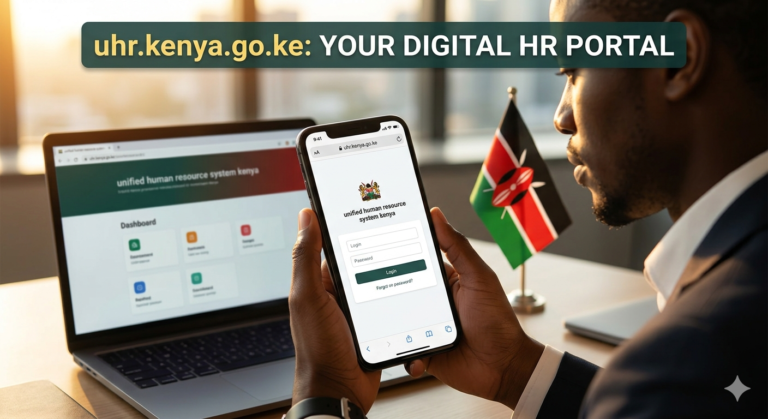
- Visit the Official GHRIS Portal: Open your web browser and navigate to the official GHRIS website: www.ghris.go.ke. Always verify the URL to avoid fraudulent sites.
- Click “First Time Registration”: Locate and click on the “First Time Registration” or similar link, usually found on the login page.
- Enter Personal Details: You will be prompted to enter your Public Service Number (PNP), National ID Number, and KRA PIN. Ensure these details match your official records.
- Create Strong Password: Follow the on-screen instructions to create a secure password. It should be a combination of uppercase and lowercase letters, numbers, and special characters.
- Verify via SMS/Email: A verification code will be sent to the phone number or email address registered with your HR department. Enter this code to complete registration.
Step 2: GHRIS Login for Returning Users
Once registered, logging in to access your GHRIS payslip is quick and easy.
- Navigate to GHRIS Login Page: Go to the official GHRIS portal (www.ghris.go.ke).
- Enter Username and Password: Your username is typically your National ID Number. Enter it along with your chosen password.
- Complete Security Check: Solve the CAPTCHA or any other security verification presented to prove you are not a robot.
- Access Dashboard: Upon successful login, you will be redirected to your personal GHRIS dashboard.
Step 3: Downloading Your GHRIS Payslip
From your GHRIS dashboard, you can easily find and download your salary statements.
- Select “Payslips” or “Salary Slips”: On your dashboard, look for a menu item or link labeled “Payslips,” “My Payslips,” or “Salary Slips.”
- Choose Year and Month: Use the provided filters to select the specific year and month for the payslip you wish to view or download.
- Click “View” or “Download”: Once selected, click the “View” button to see the payslip on your screen, or “Download” to save it to your device, usually in PDF format.
- Save as PDF: If viewing, use your browser’s print-to-PDF function to save a copy. Always keep digital copies of your payslips for future reference.
Warning: Always ensure you are on the official GHRIS portal (ghris.go.ke) to avoid phishing scams and protect your sensitive personal data. Never share your login credentials with anyone.
GHRIS Payslip Requirements & Timelines
To ensure a smooth experience when accessing your GHRIS payslip, be aware of the necessary requirements and general timelines.
Key Requirements:
- National ID Number: Your primary identifier for GHRIS access.
- KRA PIN: Essential for linking your tax records.
- Active Phone Number/Email: Used for account verification and password resets. Ensure your HR department has your current details.
- Internet Access: A stable internet connection is required to access the online portal.
- Computer or Smartphone: The portal is accessible from various devices.
Payslip Availability:
GHRIS payslips are typically uploaded and made available by the first week of the subsequent month. For example, your January 2026 payslip should be accessible by the first week of February 2026. This allows time for payroll processing and verification by respective government agencies.
Common Mistakes and Troubleshooting GHRIS Payslip Issues
Even with a user-friendly system like GHRIS, users may encounter occasional issues. Here are common problems and their solutions.
Forgotten Password:
This is one of the most frequent issues. If you can’t remember your password:
- On the GHRIS login page, click the “Forgot Password” link.
- You will be asked to provide your National ID Number and the email address or phone number linked to your account.
- Follow the instructions sent to your registered contact to reset your password. Create a new, strong password immediately.
Incorrect Details on Payslip:
Should you notice any discrepancies on your GHRIS payslip, such as incorrect allowances, deductions, or personal information:
- Immediately contact your Human Resources (HR) department or payroll officer. They are responsible for rectifying such errors within the system.
- Provide them with a copy of the incorrect payslip and clearly highlight the errors.
Account Locked:
Your GHRIS account might be locked after several failed login attempts (usually three). In this scenario:
- Wait for a specified period (e.g., 30 minutes) and try again, ensuring you use the correct credentials.
- If the problem persists, contact the GHRIS support helpdesk or your HR department to unlock your account.
Portal Accessibility Issues:
If you’re having trouble accessing the GHRIS portal itself:
- Check your internet connection: Ensure you have a stable and active internet connection.
- Try a different browser or device: Sometimes browser compatibility or cached data can cause issues. Clear your browser’s cache and cookies, or try using a different web browser or even a smartphone.
- Check for system maintenance: The GHRIS portal may undergo periodic maintenance. Check official communication channels for any scheduled downtimes.
GHRIS User Security Checklist & Best Practices for Kenyans
With increasing cyber threats, protecting your GHRIS account and personal data is paramount. This checklist provides essential security practices for Kenyan civil servants in 2026.
- Use Strong, Unique Passwords: Create complex passwords that are difficult to guess and different from those used for other online accounts. Consider using a password manager.
- Enable Two-Factor Authentication (2FA): If GHRIS offers 2FA (e.g., via SMS code or authenticator app), enable it immediately. This adds an extra layer of security, requiring a second verification step even if your password is compromised.
- Beware of Phishing Emails/SMS: Be extremely cautious of emails or text messages claiming to be from GHRIS asking for your login credentials or personal information. Always verify the sender and URL before clicking any links. Official GHRIS communication will never ask for your password.
- Access GHRIS on Secure Networks Only: Avoid logging into your GHRIS account using public Wi-Fi networks that are unsecured. Use your personal data, a secure home network, or a trusted office connection.
- Log Out After Each Session: Always explicitly log out of your GHRIS account once you are done, especially if using a shared computer. Closing the browser tab might not be enough.
- Regularly Review Your Payslip for Discrepancies: Promptly identify and report any unusual entries or unauthorized deductions to your HR department. This can be an early indicator of potential unauthorized access.
- Keep Software Updated: Ensure your operating system, web browser, and antivirus software are always up-to-date. This protects against known security vulnerabilities.
By integrating these practices into your routine, you can significantly enhance the security of your GHRIS data and personal financial information within Kenya’s evolving digital landscape.
The Future of GHRIS Payslips and Public Service Digitalization in Kenya
As Kenya continues its journey towards a fully digitalized government, GHRIS is poised for further enhancements and integrations by 2026 and beyond. The future promises even more streamlined and secure access for civil servants.
- Enhanced Mobile Accessibility: Expect a more optimized mobile experience, potentially including a dedicated GHRIS mobile application, offering convenience and on-the-go access to payslips and other records.
- Integration with e-Citizen: Deeper integration with the broader e-Citizen platform could mean a more unified government service experience, where GHRIS data can seamlessly interact with other public services.
- Advanced Analytics for Public Sector HR: The system may evolve to provide more sophisticated analytical tools for HR departments, leading to better human resource planning and policy-making within the public service.
- Improved Data Security Protocols: Continuous updates in cybersecurity measures are expected, ensuring robust protection of sensitive employee data against emerging threats.
- Simplified Workflows: Further automation of HR processes, from leave applications to promotion tracking, will reduce bureaucracy and improve efficiency for public servants.
Frequently Asked Questions about GHRIS Payslip Kenya
Is GHRIS payslip free to access?
Yes, accessing your GHRIS payslip and other records through the official portal (www.ghris.go.ke) is completely free for all eligible Kenyan civil servants. There are no charges for registration, login, or downloading your payslips.
Who is eligible for a GHRIS payslip?
Any individual officially employed under the Kenyan public service, including those in ministries, government departments, and various state agencies, is eligible for a GHRIS payslip.
Can I get a GHRIS payslip for past years?
Yes, the GHRIS portal typically allows you to access and download payslips from previous years, usually going back several financial periods. Simply select the desired year and month from the payslip archive section of your dashboard.
What if my details are wrong on my GHRIS payslip?
If you find any incorrect details on your payslip, such as wrong salary, allowances, deductions, or personal information, you must immediately report the discrepancy to your respective HR department or payroll officer for correction.
How does GHRIS affect loan applications in Kenya?
GHRIS payslips are crucial for loan applications in Kenya as they provide verifiable proof of income and employment status. Lenders use these payslips to assess your repayment capacity, making it easier for civil servants to access various financial products.
Is there a GHRIS mobile app?
As of 2026, the primary access to GHRIS is via its web portal, which is generally mobile-responsive. While a dedicated standalone mobile app is not yet universally available, continuous improvements in mobile browser compatibility and future app development are anticipated as part of Kenya’s digital transformation agenda.
Conclusion: Empowering Kenyan Civil Servants with Digital Access
The GHRIS payslip system stands as a testament to Kenya’s commitment to digitalizing public service and empowering its civil servants. By providing secure, transparent, and convenient access to essential financial and employment records, GHRIS not only simplifies administrative processes but also fosters greater financial literacy and planning among employees. In 2026, mastering the GHRIS portal is more than just a convenience; it’s a vital skill for every Kenyan civil servant navigating their professional journey and securing their financial future. Embrace the digital tools available, prioritize security, and leverage your GHRIS payslip to make informed decisions.