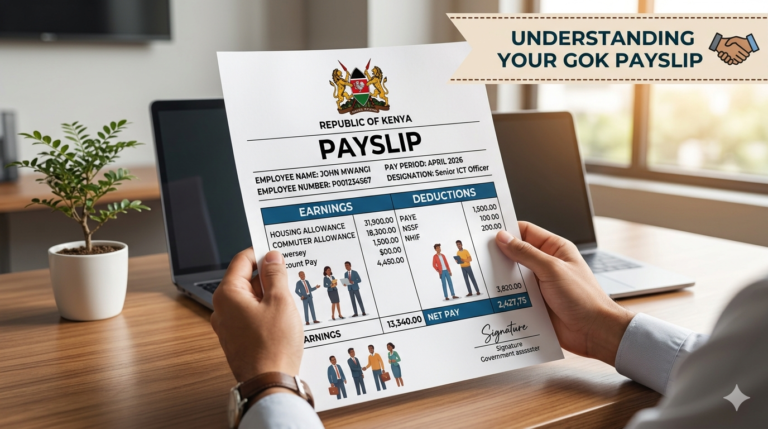
Mastering Your GHRIS Payslip: A Comprehensive Kenyan Guide for 2026
Direct Answer: What is GHRIS and How to Access Your Payslip?
GHRIS, or the Government Human Resource Information System, is Kenya’s official online platform for managing human resources and payroll for public sector employees. To access your ghris payslip, you must register and log in to the official GHRIS portal using your national ID and password, then navigate to the ‘View Payslip’ section to download it.
Expert Tip: Always use the official GHRIS portal (ghris.go.ke) to avoid phishing scams and ensure your personal data remains secure.
Introduction: Your Digital Gateway to Government Payroll
In today’s digital age, accessing crucial financial documents shouldn’t be a hassle. For hundreds of thousands of Kenyan civil servants, teachers, police, and other public sector employees, the ghris payslip is more than just a piece of paper; it’s a vital record for financial planning, loan applications, and personal verification. GHRIS has revolutionized how government employees manage their payroll information, bringing convenience and transparency right to their fingertips.
This comprehensive guide will walk you through everything you need to know about GHRIS, from understanding its purpose to navigating the portal, troubleshooting common issues, and leveraging your digital payslip effectively. We’ll ensure you’re well-equipped to master your GHRIS experience in 2025/2026.
What is GHRIS Payslip? Understanding the System
The Government Human Resource Information System (GHRIS) is an integrated web-based platform implemented by the Kenyan government. Its primary objective is to centralize and streamline human resource management processes across various public sector entities.
The ghris payslip is a digital statement generated through this system, detailing an employee’s gross salary, deductions (such as NSSF, NHIF, PAYE, Sacco contributions), and net pay for a specific month. It serves as official proof of employment and earnings.
The Role of GHRIS in Kenya’s Public Service
GHRIS plays a pivotal role in enhancing efficiency and accountability within Kenya’s public service. It eliminates manual processes, reduces errors, and provides real-time access to HR data for both employees and management.
This system supports accurate payroll processing, facilitates performance management, and ensures compliance with government employment regulations. (Source: Public Service Commission, 2024)
Who Uses GHRIS? Eligibility & Scope
GHRIS is designed for all employees under the Kenyan government payroll. This includes:
- Civil Servants: Employees working in various government ministries and departments.
- Teachers: Staff employed by the Teachers Service Commission (TSC).
- National Police Service & Prisons Service: Members of Kenya’s disciplined forces.
- Other State Agencies: Employees in parastatals and other government-funded institutions that have integrated into the GHRIS system.
Warning: If you are not a government employee, GHRIS is not the platform for your payslip. Private sector employees should consult their respective employers’ payroll systems.
Why Kenyans Need the GHRIS Payslip: Beyond Just Salary Confirmation
The importance of your ghris payslip extends far beyond simply knowing your monthly earnings. It’s a foundational document for numerous financial and administrative processes in Kenya.
Loan Applications and Financial Planning
Banks, Saccos, and other lending institutions in Kenya almost always require recent payslips as proof of income when processing loan applications. Your GHRIS payslip authenticates your ability to repay.
For personal financial planning, regularly reviewing your payslip helps you track income, understand deductions, and budget effectively.
Record Keeping and Verification
Maintaining a digital archive of your payslips is crucial for personal record-keeping. These documents can be essential for tax purposes, employment verification, housing applications, or even visa applications.
Ensuring Payroll Accuracy
By regularly checking your GHRIS payslip, you can verify the accuracy of your salary and deductions. Any discrepancies, whether overpayments or underpayments, can be promptly identified and reported to the relevant HR department for rectification.
Types of GHRIS Users & Payslip Access
While the core GHRIS system is unified, certain cadres might experience slight variations in features or communication channels due to their specific employer commissions.
Civil Servants
Access payslips directly through the GHRIS portal. Often deal with ministry-specific HR departments for queries.
Teachers (TSC)
While TSC has its own robust portal, teachers can also access their basic payroll information and payslips through GHRIS, aligning with the broader government HR framework.
National Police Service & Prisons
Members of disciplined forces primarily use GHRIS for their payslip needs, often with dedicated support channels within their respective services.
Other State Agencies
Parastatals and semi-autonomous government agencies (SAGAs) that have integrated into GHRIS follow the standard access procedures.
How to Access Your GHRIS Payslip Online
Accessing your ghris payslip is a straightforward process, provided you have the necessary credentials and are connected to the internet. Here’s what you need to prepare.
Pre-requisites: What You Need Before You Start
- National ID Number: This serves as your primary identifier for logging in.
- Password: The password you created during your initial GHRIS registration.
- Internet Connection: A stable connection is essential for accessing the online portal.
- Device: A computer, laptop, tablet, or smartphone can be used.
The Official GHRIS Portal: Avoiding Scams
It is paramount to always use the official Government Human Resource Information System website. Criminals often create fake websites to steal personal information. The only legitimate address is https://ghris.go.ke/.
Warning: Never share your GHRIS login details with anyone, even if they claim to be from GHRIS support. The official portal will never ask for your password via email or phone.
Costs & Requirements for GHRIS Access
Understanding the financial and technical aspects ensures a smooth user experience.
Is GHRIS Payslip Access Free?
Yes, accessing and downloading your ghris payslip from the official portal is absolutely free of charge for all eligible government employees. Be wary of any website or individual demanding payment for this service.
Technical Requirements
While GHRIS is designed to be accessible, certain technical aspects can enhance your experience:
- Browser: Use updated versions of popular browsers like Google Chrome, Mozilla Firefox, Microsoft Edge, or Safari.
- PDF Reader: Payslips are typically downloaded in PDF format, so ensure you have a PDF reader installed on your device.
- Internet Speed: A decent internet connection will prevent slow loading times.
Step-by-Step Guide: Downloading Your GHRIS Payslip
Follow these clear steps to successfully log in and download your ghris payslip.
Step 1: GHRIS Portal Login
- Open your preferred web browser and type in the official GHRIS URL: https://ghris.go.ke/
- On the homepage, locate the login section.
- Enter your National ID Number in the ‘User ID’ field.
- Enter your Password in the ‘Password’ field.
- Click the ‘Login’ button.
Step 2: Navigating to Payslip Section
Once logged in, you will typically land on your GHRIS dashboard. Look for menu options related to ‘My Payslips’, ‘Payslip’, or ‘View Payslip’. The exact wording might vary slightly but will be clearly identifiable.
Step 3: Selecting Your Pay Period
Within the payslip section, you will usually find a dropdown menu or a list of available months and years. Select the specific month and year for which you want to download your ghris payslip.
Step 4: Downloading and Saving Your Payslip
After selecting the period, click on ‘View Payslip’ or ‘Generate Payslip’. The system will then display your payslip on screen or prompt you to download it. Click the download icon (usually an arrow pointing down or a disk icon) and save the PDF file to a secure location on your device.
Expert Tip: Create a dedicated folder on your computer or cloud storage for your GHRIS payslips, organized by year, for easy retrieval.
Common Mistakes & Troubleshooting Your GHRIS Payslip
Even with clear instructions, users sometimes encounter challenges. Here’s how to address the most common issues when dealing with your ghris payslip.
Forgotten Password & Username Recovery
If you’ve forgotten your password, do not panic. On the GHRIS login page, click on the ‘Forgot Password?’ or ‘Reset Password’ link. You will typically be asked to provide your National ID number and answer security questions or receive a reset link/code via your registered phone number or email. For forgotten usernames (which is usually your National ID), contact your HR department.
Account Lockout Issues
Entering incorrect login details multiple times can lead to your GHRIS account being locked for security reasons. If this happens, wait for a specified period (e.g., 30 minutes) and try again, or use the ‘Forgot Password’ option. If the issue persists, contact your HR department or the GHRIS support desk for assistance.
Payslip Not Reflecting / Incorrect Data
If your payslip for a current month isn’t yet available, it might be due to payroll processing timelines. Usually, payslips become available a few days before or on the actual payday. If data on your payslip is incorrect (e.g., wrong deductions, wrong basic pay), immediately report the discrepancy to your HR department with supporting evidence.
Browser Compatibility Tips
Sometimes, older browsers or specific browser settings can cause issues. Ensure your browser is updated. If you experience problems, try clearing your browser’s cache and cookies, or try accessing the portal using a different browser (e.g., if Chrome isn’t working, try Firefox).
Which GHRIS issue do you face most often?
A) Forgotten Password
B) Payslip Not Updating
C) Account Lockout
D) Website Glitches
GHRIS Innovations: The Future of Government Payroll in Kenya
GHRIS represents a significant stride in Kenya’s journey towards digital governance. Its continuous evolution promises even greater efficiency and transparency.
Comparing GHRIS: Civil Service vs. Teachers vs. Police Payroll Processes
While the GHRIS portal provides a unified access point for payslips, the underlying payroll processing for different cadres can have nuances. Teachers, managed by the TSC, often see their payslips updated with specific allowances and deductions unique to the education sector. Similarly, the police and prison services have their own unique grading structures and benefits reflected.
The GHRIS system is designed to accommodate these variances while presenting a consistent interface for employees to retrieve their ghris payslip. The long-term vision is a seamless integration across all government employee categories, ensuring uniformity in access and data standards, even as specific payroll rules apply.
This integration streamlines reporting for government agencies, offering a holistic view of the public service workforce. (Source: National Treasury & Planning, 2023)
Digital Transformation & Efficiency Gains
The introduction and continuous improvement of GHRIS are central to Kenya’s broader digital transformation agenda. It significantly reduces the administrative burden on HR departments, minimizes paperwork, and enhances the accuracy and speed of payroll operations.
For employees, it means instant access to critical financial information, empowering them to manage their finances better and reducing reliance on manual HR processes. The system contributes directly to the government’s goal of improved service delivery and accountability.
Future Trends in GHRIS and E-Government Services
The GHRIS system is not static; it is expected to evolve with technological advancements and government policy shifts.
Integration with Other Government Portals
Future enhancements may see deeper integration of GHRIS with other e-government platforms, such as eCitizen or the iTax portal, creating a more cohesive digital ecosystem for citizens and public servants.
Enhanced Mobile Accessibility
While accessible on mobile browsers, future updates might introduce dedicated GHRIS mobile applications, offering a more intuitive and optimized experience for employees on the go. This would further simplify access to the ghris payslip and other HR services.
Frequently Asked Questions (FAQ) about GHRIS Payslip
Here are answers to common questions asked by Kenyan public servants regarding their GHRIS payslips.
How often are GHRIS payslips updated?
GHRIS payslips are typically updated monthly, reflecting the payroll for the current month. They are usually available a few days before or on the official payday.
What if my GHRIS account is locked?
If your account is locked due to multiple incorrect login attempts, wait for the specified lockout period (often 30 minutes to an hour), then try again with the correct credentials or use the ‘Forgot Password’ option. If the issue persists, contact your specific HR department.
Can I get an old GHRIS payslip?
Yes, the GHRIS portal allows you to access and download payslips for previous months and even years, as long as they are within the system’s archived data. Simply select the desired month and year from the dropdown menu in the payslip section.
My GHRIS payslip has incorrect information, what do I do?
If you find any discrepancies on your ghris payslip, such as incorrect deductions or allowances, immediately report it to your HR department or payroll officer. Provide them with a copy of the incorrect payslip and any supporting documents.
Is GHRIS safe to use?
Yes, the official GHRIS portal (ghris.go.ke) is secure. It uses encryption to protect your data. However, your account’s security also depends on you using a strong, unique password and never sharing your login details.
Conclusion: Empowering Kenyan Public Servants with Digital Access
The ghris payslip system is a cornerstone of Kenya’s digital government services, offering unparalleled convenience and transparency to public sector employees. By following the guidelines in this article, you can confidently navigate the GHRIS portal, download your payslips, and troubleshoot any issues that arise. This empowerment not only simplifies personal financial management but also contributes to a more efficient and accountable public service.
Embrace the power of digital access and ensure your financial records are always at your fingertips. For more insights on financial management and digital tools in Kenya, you can learn more through our blog.
Sources
- GHRIS Official Portal – The primary source for all GHRIS services and information.
- Public Service Commission (PSC) Kenya – Official body overseeing public service management in Kenya, provides context on GHRIS role.
- Kenya National Bureau of Statistics (KNBS) – Provides statistical data on government employment and demographics.
- National Treasury & Planning Kenya – Offers insights into government financial management and digital transformation initiatives.